IEP ACCOMMODATION SUPPORT

Their needs are personal.Their support should follow.

You know the student. Let the plan carry forward.

My Progress Report turns IEP information into an educator-reviewed profile that guides lessons, assignments, and supported accommodations. Less rebuilding. More time to teach.

For educators supporting students with IEPs, 504 plans, or documented learning needs.

An educator and a student working together with learning materials in a classroom
More time beside the student.
Reviewed by youConnected to their learning

FROM THE PLAN TO THE SCHOOL DAY

One student. One connected workflow.

Click each step to see what the system does and what stays in your hands.

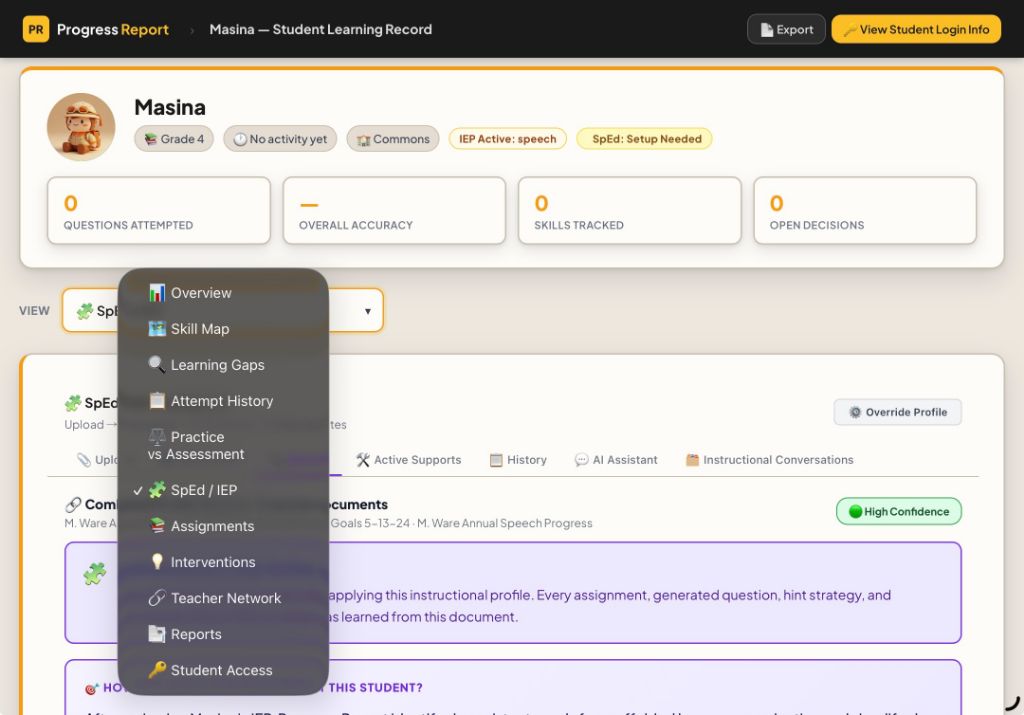
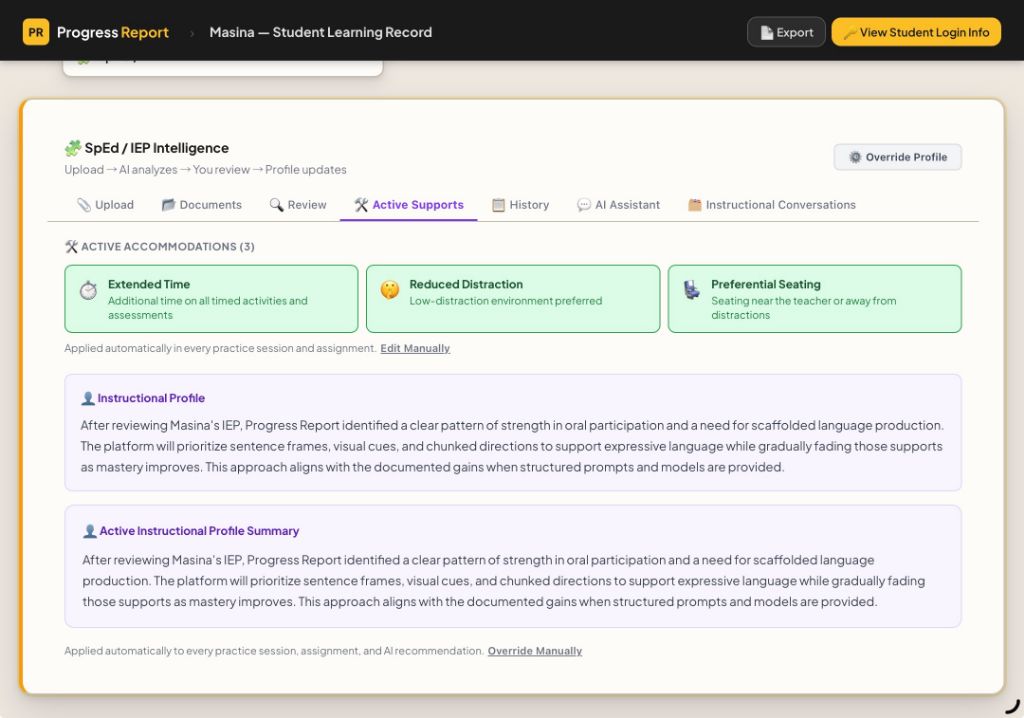
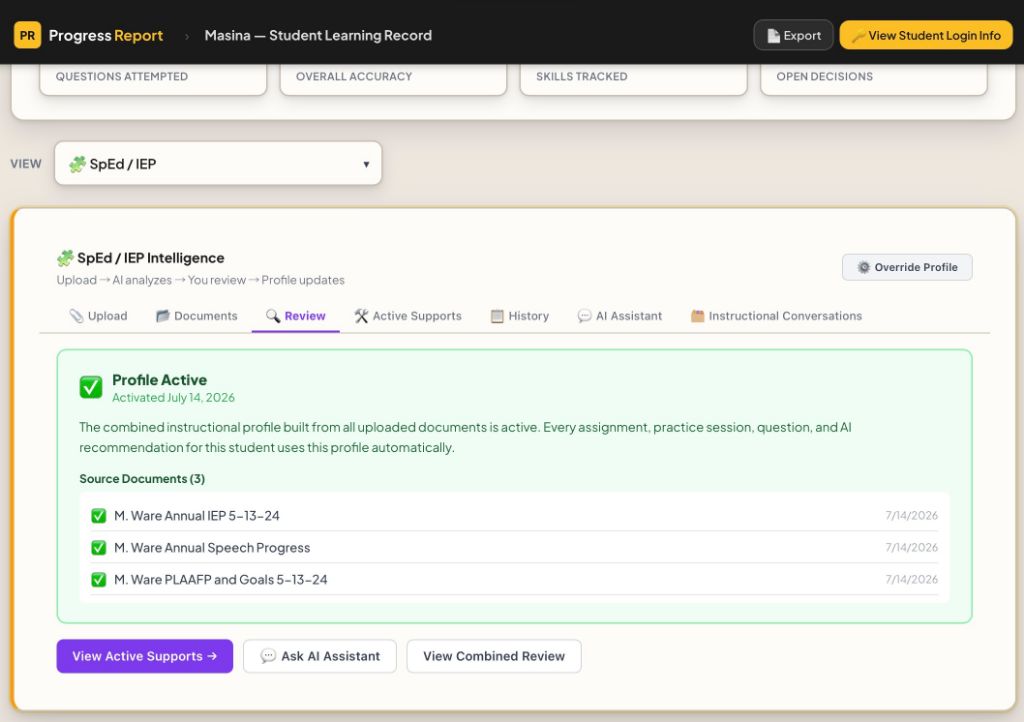
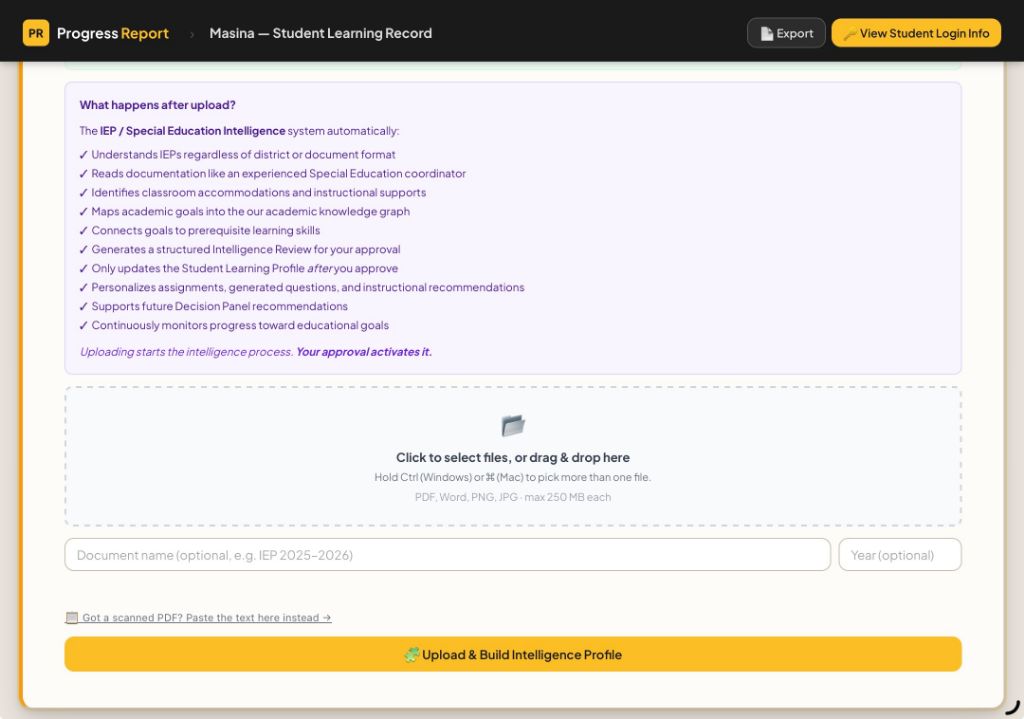
Inside My Progress Report
The actual My Progress Report document upload panel
Actual product screen

Start with the information you already have.

An IEP, 504 plan, PLAAFP, or related evaluation should not mean another round of copying and pasting. Bring the documents together in the student’s record.

  • Bring goals, needs, and accommodations into one place.
  • Keep the source documents available for review.
In your hands

You choose the documents and the student they belong to.

SUPPORT THAT CARRIES INTO THE WORK

The same student. A better way in.

Explore examples of how an approved profile shapes the digital assignment experience.

Access the words. Stay with the learning.

When text-to-speech is enabled in the approved profile, the student can choose to hear assignment text read aloud.

The learner activates read-aloud when they need it.

The platform carries supported digital accommodations forward. Educators deliver classroom supports and decide when instruction needs to change.

SEE IT IN THE PRODUCT

Real screens. The full picture.

Choose a walkthrough. Each video opens here, so you can watch and keep exploring.

A LITTLE MORE CLARITY

Questions from the school day.

A plan is only useful when the people supporting the student can put it to work.

Does the system replace educator review?

No. My Progress Report organizes information and generates a profile and summary for review. The educator checks the information, makes edits, and approves the profile before activating it for instruction.

Will I have to enter accommodations for every assignment?

Supported digital accommodations carry from the approved profile into supported assignment delivery. You still review generated work and provide classroom supports, such as preferential seating, that require an educator.

Can I use it when a learner does not have an IEP?

Yes. Educators, including homeschool educators, can enter documented learning needs and observations to guide instructional supports. These learning supports do not create or replace a formal IEP or 504 plan.

Can the summary help conversations with families and other teachers?

The reviewed summary brings goals, services, accommodations, and classroom supports together. It can be printed or shared through the product’s sharing options, with access limited to the people authorized to support the student.

How does this connect to the Decision Panel?

The approved instructional profile stays connected to the student’s learning record. The Decision Panel brings learning evidence and needs into view so educators can review recommendations and generate the next lesson or assignment for that student.

More of your day for the reason you teach.

Keep student needs connected. Keep the teaching decisions yours.

Start FreeCurrently in pilot. No credit card required.

Video not loading? Watch on YouTube